





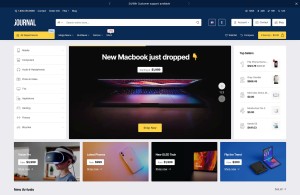
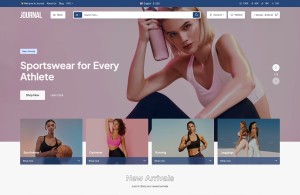
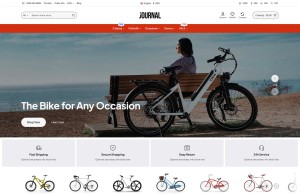
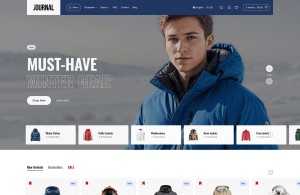
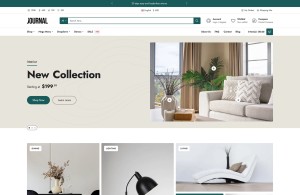
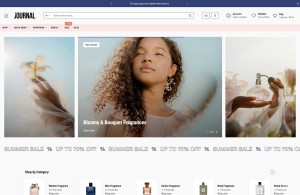

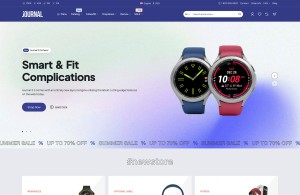


Another blog post. Write unlimited blog articles, or have someone write them for you with partial admin access. The Journal 3 blog has been greatly improved and it now comes with the most advanced set of typography tools, including custom drop-cap support as well as optional newspaper-like fluid columns. You can break up the page in up to 4 columns and change the configuration per breakpoint for the best article layout on any screen width.
The Journal blog is built directly into the admin with lots of powerful options, including seo urls and limited admin access to blog settings for other users to author articles. You or your writer can author unlimited blog posts and display them in both grid or list views with support for our famous Items per Row feature. The blog comes with 6 modules including an advanced Posts Module that allows you to display articles on any page within your store and in any position.
More about Journal
Since 2013, Journal has been the best selling and most loved OpenCart theme on the market. Now at version 3, it brings many new and revolutionary features such as an advanced page builder with 30+ multi-purpose modules that can be added on any page in any grid layout configuration, as well as the best possible customizable options for any area of your store.
Journal 3 also comes with fully customizable CSS options with the added possibility of setting each option differently on any breakpoint. This breakthrough feature will greatly enhance your design skills and allow you to create pixel perfect layouts at any screen width.
This is a blockquote element. It's styled from the Journal admin Typography style. You can edit lots of options including the custom icon on the side, font and other text styles, padding, background, etc.
The new advanced Status mechanism allow you to set up modules and menus based on device, customer login status or customer groups.
The new Schedule feature allows you to display any module at specific dates in the future, or to disable any module automatically at a certain time and date.
Imagine the possibilities and peace of mind...designing your promotional banners or sliders, or entire product modules that only show up on specific dates and are disabled automatically whenever you don't need them anymore.
These are just a few of the outstanding features available in the new Journal 3 framework, there are so many new options and possibilities that it will takes us a very long time to list them all.
Responsive Video
Responsive video embeds with max width and float options, as well as full container styles on the video-responsive class. Display videos in your descriptions, blog posts, or custom modules anywhere on the page. Just wrap the iframe in additional div elements with the required classes and you have full control over your video layout.
The above element is a fully customizable hr element, including custom icon options. Unprecedented control over your elements directly from the admin.
113 Comment(s)
The detail about the advanced typography tools, like custom drop-caps and fluid columns, is really interesting. It sounds like the Journal 3 blog is aiming to give bloggers a lot of control over how their content looks, which is crucial for keeping readers engaged. I wonder how easy it is to actually implement those complex column layouts across different devices – that's often the tricky part with responsive design. It's cool that they've built it directly into the admin with SEO features too.
The flexibility of the Journal 3 blog's typography tools, like custom drop-caps and fluid columns, sounds really impressive. Being able to break up content into multiple columns and adjust for different screen widths is a huge plus for readability. It's interesting how they've integrated these advanced features directly into the admin, making it easier for users or writers to manage and create content. I can see how the "Items per Row" feature would be particularly useful for displaying posts effectively.
The flexibility of the Journal 3 blog's typography tools, especially the custom drop-caps and fluid columns, sounds really impressive for creating visually engaging content. I'm curious about how the "Items per Row" feature works in practice, particularly when displaying articles in grid views. Does it really help with scanability or could it potentially lead to overwhelming users with too much information at once? It's interesting to think about how these layout options can impact user experience and engagement on a site.
The mention of advanced typography tools like custom drop-caps and fluid columns for newspaper-like layouts is particularly interesting. It makes me wonder how much control authors actually have over these settings when they have "partial admin access" or "limited admin access to blog settings." I've found in some platforms that while the tools are there, the actual implementation can be quite restricted depending on the user role, which can be frustrating for someone trying to create a visually appealing post. It sounds like Journal 3 aims for a high degree of customization, which is a definite plus for content creators.
The detail about the advanced typography tools, like custom drop-caps and fluid columns, really caught my eye. It sounds like they've put a lot of thought into improving the reader experience, which is something I always appreciate when browsing blogs. Having the flexibility to adjust column layouts for different screen widths is particularly clever. It makes me wonder how much of a difference something like that actually makes in keeping readers engaged with longer-form content.
The mention of "partial admin access" and "limited admin access to blog settings for other users to author articles" really caught my eye. It sounds like a system designed for collaboration, which could be a huge timesaver if you're trying to keep a blog consistently updated. I'm curious, how granular is that limited access? Can you set specific permissions for different contributors, or is it more of an all-or-nothing approach for authors versus admins? Also, the detail about breaking up pages into up to 4 columns with custom configurations per breakpoint is quite impressive from a design perspective. It suggests a real focus on readability across different devices, which is something I always appreciate when consuming long-form content.
The description of the Journal 3 blog's typography tools, especially the fluid columns and custom drop-caps, sounds quite impressive. It's interesting how much emphasis is placed on the visual presentation of blog posts, moving beyond just the content itself. I can see how that would be a significant draw for someone looking to create a more polished and engaging online presence, perhaps even for something like estimating building materials where clear visuals are important for understanding project scope. The idea of being able to break up content into multiple columns and adjust it for different screen sizes is a smart approach to modern web design.
PayPal Login offers trusted access to digital payment features, helping users securely send funds, receive payments, monitor balances, and manage financial settings. Explore practical login instructions, verification methods, security measures, and account recovery guidance for reliable payment experiences across supported platforms and devices.
PayPal Login enables secure access to online payment services, allowing users to transfer money, review transaction records, manage linked cards, and maintain account security. Discover authentication guidance, recovery options, and best practices that improve account accessibility while supporting safe, efficient digital financial management every day.
On the website: Sign into your online account (or make an account if there isn't one) and then go to the page to activate. Fill in any necessary security information including your card's number and your full name, as shown on the card, the security code and the last four numbers from the number of your Social Security Number
Koinly Login connects users with a centralized workspace for cryptocurrency tax preparation and portfolio tracking. Account access can lead to tools for importing exchange records, reviewing blockchain transactions, identifying gains or losses, and generating tax reports. A secure sign-in routine, updated browser, and verified website address support safer account management.
A wallet extension can make everyday blockchain activities more accessible by keeping wallet functionality close to the websites users visit.
If you're a creator looking to tokenize your digital assets, the platform provides minting tools that allow you to do so securely.
Leave a comment